Walkie Talkie - All Talk App
- 4.5
- Rating
- 10.00M
- Installs
- Free
- Price

 Analysis by App-foxy
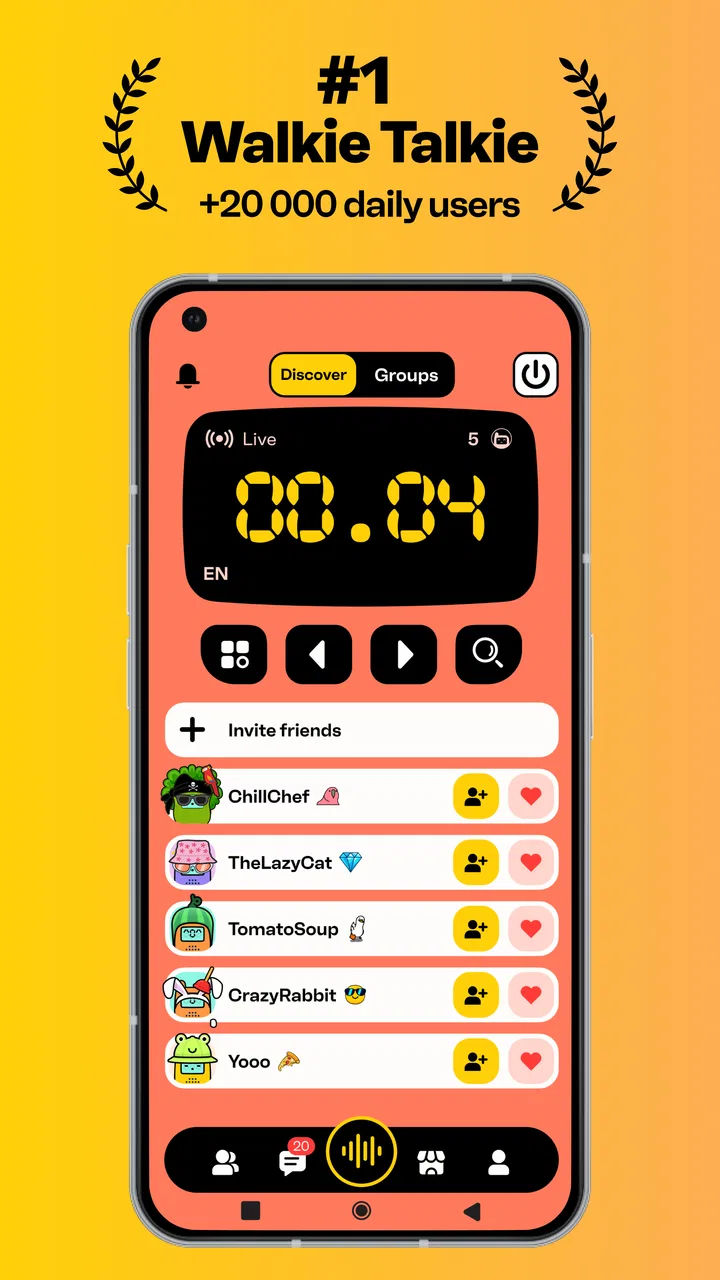
I approached Walkie Talkie - All Talk App expecting a simple social app built around voice, but its real character becomes clearer once you spend time with it in changing network conditions. Instead of asking me to compose a polished post or maintain a carefully managed profile, it puts the emphasis on joining open voice conversations about movies, games, everyday life, and whatever else people feel like discussing. That makes it feel spontaneous, but also less predictable than a conventional messaging service.
Developed by Picslo Corp., this free social app is aimed at people who enjoy dropping into live conversation rather than waiting for replies. It is available for Android devices running version 7.0 or later, carries a Teen content rating, and has reached over ten million installs. Those figures suggest that it is not a niche experiment, although a 3.6 average from roughly fifty-six thousand ratings tells me that the experience clearly depends on personal taste, the quality of the conversations available, and how comfortable someone is with open voice spaces.
How the connection changes the experience
The central appeal is the feeling of tuning into a shared frequency. A text-based social feed gives me time to edit, scroll back, and decide exactly how visible I want to be. Voice changes that rhythm. I have to listen in real time, judge the mood quickly, and decide whether to participate or move on. When the connection is stable and the room has an interesting topic, that immediacy is the reason to use the app.
You May Also Like

 Blood Strike: 2.5 Anniversary
Blood Strike’s Loadouts Turn Every Drop Into a Tactical Gamble
A close look at Blood Strike’s custom loadouts: how fast access to signature weapons reshapes its battle royale rhythm, rewards preparation, and narrows the gap between fights.

 Pandora - Music & Podcasts
Pandora’s Music Is Easy to Start, but Harder to Recover
Pandora’s strength is its low-effort path from a seed to a station. Its weak spot is how much confidence it asks you to place in connection, setup, and quiet recovery.

 8 Ball Pool
 Is Built on Rivalries, Rematches, and Routine
A close look at the rivalries, rematches, shared routines, and unanswered safety questions that turn a quick pool match into a persistent mobile community.

 Samsung Music
’s Quiet Strength Is Playing What You Already Own
Its reach comes less from spectacle than from dependable access to a personal library. That simplicity is both the app’s strongest retention engine and its ceiling.

 AccuWeather: Weather Radar
AccuWeather Review: A Quick, Clear Forecast for Everyday Decisions
For everyday plans, the best forecast is the one you can understand quickly. AccuWeather makes rain timing, radar, and local conditions easy to act on, with a few trade-offs.

 Hill Climb Racing
Why Hill Climb Racing Still Turns Crashes Into One More Run
A tiny car, a bumpy hill and one more upgrade: Hill Climb Racing keeps resurfacing because its simple chaos makes every near-miss feel personal.
More From Our News Desk



It works best when I treat it as a social radio dial rather than a replacement for private chat. The open format makes discovery easy: I can look for conversation around entertainment or general life without first building a group of contacts. That is useful when I want company during a quiet moment, but it also means the quality of a session can vary. A lively discussion may be engaging one minute and uninteresting the next.
Network quality therefore becomes part of the product, not merely a technical background detail. A weak or inconsistent connection can make a live voice exchange feel fragmented, with pauses that are difficult to interpret. In a text app, a delayed message is usually obvious. In voice, delay can look like hesitation, interruption, or someone leaving. I found that the app is most enjoyable when I have enough signal to listen without constantly wondering whether the conversation has stalled.
That dependence also affects how much patience I bring to a session. If I am walking through an area with unreliable coverage, I am less likely to settle into a thoughtful discussion. I may still browse briefly, but I would not choose that moment for a conversation where missing a few seconds matters. This is an important distinction: the app can fit mobile life, yet mobile movement can make its most social feature less comfortable.
Why live voice feels different from ordinary social feeds
Voice creates a lower barrier to casual participation. I do not need to write a clever caption or prepare a complete opinion before joining a topic. A short comment can be enough to enter the flow. That makes the app appealing for people who find traditional social posting tiring, especially when they want a small burst of interaction rather than a lasting public record.
The trade-off is reduced control. A written community usually gives me tools to scan several conversations quickly and choose one based on visible context. With open voice frequencies, I have to listen before I know whether the room suits me. That can feel more human, but it can also consume attention. I would not recommend it to someone who wants precise, searchable information or carefully moderated discussion every time.
There is also a social skill involved in using it well. I get more from the app when I enter with a specific purpose: hear other opinions about a film, find people discussing a game, or simply spend a few minutes listening. Opening it without any idea of what I want can lead to aimless switching. The app rewards curiosity, but it does not remove the need to choose how I spend my attention.
Using it in ordinary mobile situations
One realistic use case is a short break between errands. I might have ten minutes before a train, appointment, or pickup, and I want something more interactive than scrolling through a silent feed. In that situation, the app’s voice-first design makes sense. I can sample a conversation, decide quickly whether it is worth staying, and leave when my break ends. The experience feels closer to joining a passing conversation than committing to a full chat session.
I would be more careful while moving through traffic, cycling, or handling a task that requires concentration. Live voice is easy to start, but that does not mean it is safe or sensible to use in every mobile context. The app is better suited to a stationary break, a relaxed home session, or a place where I can pay attention to the conversation and my surroundings at the same time.
Headphones can make the experience more practical in public, particularly when surrounding noise makes speech difficult to follow. They also help keep a conversation from becoming disruptive to people nearby. At the same time, I would avoid assuming that headphones solve every privacy concern. An open voice environment still requires judgment about what I say, where I say it, and who may be listening.
For a group of close friends, a familiar private messenger may remain the better choice. Those services are generally designed around known contacts, direct replies, and conversations that continue when participants are unavailable. This app is more interesting when the point is discovery and spontaneous contact. I would choose it for meeting a temporary social moment, not for organizing a detailed plan or preserving an important exchange.
It can also suit people who enjoy discussing entertainment without wanting a formal forum. Someone who has just watched a film or finished a game may prefer hearing several quick reactions instead of reading long reviews. The limitation is that open conversation may be uneven: one session can offer thoughtful opinions, while another may be dominated by interruptions or topics that do not match my interests. The app gives me access to possibility, not a guarantee of quality.
A practical routine for better sessions
I get a more consistent experience by checking my surroundings before joining. If I am in a noisy place, I expect to miss details. If the connection is changing as I move, I treat the session as a quick listen rather than a serious conversation. That small adjustment prevents me from blaming the app for a situation where the network and environment are the real obstacles.
I also find it useful to leave promptly when a room is not working for me. Open voice spaces can create a temptation to wait for the discussion to improve, but time is better spent sampling another option or returning later. This is one of the app’s less obvious strengths: because the format is casual, leaving does not need to feel like ending a formal meeting.
For new users, I would start as a listener. That provides a chance to understand the pace and tone before speaking. Voice conversations have their own etiquette, and listening first helps me avoid talking over someone or entering with a comment that does not fit the room. Once I understand the flow, participating feels less awkward and more rewarding.
What happens when connectivity fails
Any live voice app has a difficult relationship with interruptions. If my connection drops during a text conversation, I can usually return to the written history and see what happened. A voice exchange is more fragile because the missing moment may not be recoverable in the same way. That makes connection stability important not only for sound quality, but also for social continuity.
When a conversation becomes unclear, my first response is to check whether the problem is local: moving closer to a stronger signal, pausing other network-heavy activity, or waiting briefly before trying again. I do not assume that every silence means the room has ended. Sometimes the better choice is simply to exit and re-enter rather than remain in a broken exchange.
This recovery process is quick enough for casual use, but it can still be frustrating when I am engaged in a good discussion. The app’s spontaneous design makes interruptions feel particularly noticeable because there is no carefully scheduled agenda to fall back on. If I need dependable communication for an appointment, work matter, or urgent coordination, I would use a conventional messaging or calling tool instead.
Another recovery habit is to keep expectations modest. I would not open the app during a journey where coverage is known to change repeatedly and expect an uninterrupted conversation. It is better as an opportunistic social layer: use it when the connection is behaving well, and accept that a mobile environment may require leaving and trying again later.
This is also where the rating makes sense to me. A 3.6 average is neither a clear endorsement nor a dismissal. The app can be genuinely enjoyable when the right conversation and connection meet, but those conditions are not fully under the app’s control. A person who values reliability above spontaneity may find the experience less satisfying than someone who enjoys browsing unpredictable live discussions.
Keeping mobile use sensible
Because the app centers on voice, I would pay attention to how long I stay connected, especially on mobile data. I avoid treating every available moment as an invitation to keep listening indefinitely. Short, intentional sessions are easier to fit into a data-conscious routine than leaving a live conversation running in the background while doing unrelated tasks.
My practical approach is simple: use it on a trusted Wi-Fi connection when I expect a longer session, and reserve mobile data for brief checks when I am away from home. I also avoid opening it when I already know I will be distracted by another task. That is not a special feature or a hidden setting; it is a usage choice that makes the app more predictable and reduces unnecessary consumption.
The free entry point makes trying it easy, but the app includes in-app purchases ranging from $0.99 to $79.99 per item. I would therefore review any purchase prompt carefully rather than assuming that every useful experience is included without cost. The wide range means a casual user should keep an eye on the purchase flow and decide in advance whether spending fits their needs.
I also think the Teen rating matters in a voice-based social environment. Parents and younger users should approach open conversations with the same caution they would apply to any public social space. Avoiding personal details, leaving uncomfortable discussions, and using the app in an appropriate setting are sensible habits. The live format can feel informal, but informal does not mean risk-free.
Privacy expectations deserve similar care. I would not use an open voice conversation to share passwords, addresses, private plans, or information about another person. That advice applies particularly strongly here because speaking can feel more casual than typing. The speed of conversation may encourage me to reveal more than I intended, so I prefer to pause before answering personal questions.
Who will enjoy it, and who should skip it
I think this app is a good match for people who enjoy spontaneous social discovery, especially discussions about movies, games, and everyday topics. It suits listeners who want to sample several conversations, as well as outgoing users who like contributing without building a formal community first. Someone bored with silent feeds may appreciate the sense that other people are present right now.
I would skip it if I need dependable private communication, a permanent written record, or tightly organized group discussions. It is also a poor fit for anyone who dislikes unpredictable conversation or prefers to control every aspect of their social interaction. A traditional messenger is better for known contacts, while a moderated forum is usually better for detailed, searchable discussion.
The app is free to install and use as a starting point, but I would not judge it only by that label. The purchase range means I would explore the basic experience first and spend only if I understand what I am paying for. Since the current version is 4.18.2, keeping the app updated is a sensible way to stay on the current release, particularly for a service whose usefulness depends on active connectivity and smooth interaction.
My connectivity verdict
After using it as a voice-based social space, I see Walkie Talkie - All Talk App as a tool for moments rather than a complete communication system. Its best quality is immediacy: I can move from boredom to shared conversation without preparing a post or arranging a call with people I already know. That is a distinctive experience, and it explains why the app has attracted a large audience.
Its main weakness is the same thing that gives it energy. Open, live conversation is dependent on a stable connection, a suitable room, and my willingness to accept unpredictability. When one of those pieces fails, the experience can become noisy, interrupted, or simply uninteresting. I can recover by leaving, trying another conversation, or returning when my network and attention are better, but I cannot guarantee the consistency of a private text thread.
My recommendation is to try it as a lightweight social radio, not as your primary messenger. Use it during stationary breaks, begin by listening, protect your personal information, and be deliberate with mobile data and purchases. If you enjoy discovering unscripted opinions and do not mind changing rooms when a conversation misses the mark, it can make an ordinary spare moment feel more connected. If you need privacy, permanence, or reliability first, another category of app will serve you better.
For me, the deciding question is not whether the app can replace familiar communication tools. It cannot, and it does not need to. The better question is whether I want an open voice experience at this particular moment and whether my connection is strong enough to support it. When the answer is yes, this free social app offers a refreshingly direct way to hear and join conversations. When the answer is no, forcing it only highlights its limitations.
FAQs for Walkie Talkie - All Talk App
01What is the primary function of the Walkie Talkie - All Talk App?
The Walkie Talkie - All Talk App is designed to turn your mobile device into a walkie-talkie, allowing you to communicate with friends and family instantly. The app uses Wi-Fi or mobile data to enable real-time voice communication, making it a versatile tool for both casual conversations and group coordination.
02Does the Walkie Talkie - All Talk App require an internet connection to function?
Yes, the app requires an active Wi-Fi or mobile data connection to function. It leverages internet connectivity to facilitate instant voice messaging, meaning you can communicate with anyone, anywhere, as long as both parties have internet access and the app installed.
03Is the Walkie Talkie - All Talk App secure and private for communication?
The app prioritizes user privacy by implementing encryption for voice communications. This ensures that your conversations remain confidential and protected from unauthorized access. However, it's always advisable to review the app's privacy policy and settings to understand how your data is handled.
04Can the Walkie Talkie - All Talk App be used across different devices and platforms?
Yes, the Walkie Talkie - All Talk App is available for both Android and iOS devices. This cross-platform capability allows users to communicate seamlessly regardless of the operating system, provided they have the app installed and an active internet connection.
05Are there any costs associated with using the Walkie Talkie - All Talk App?
The app is typically free to download and use, but there might be optional in-app purchases or ads. It's important to check the app store listing for any specific details on pricing or additional features that might require payment. Always ensure you understand any potential costs before downloading.
Pros
- Instant communication with friends worldwide.
- Simple interface for easy navigation.
- No need for phone numbers to connect.
- Group chat feature for multiple users.
- Works well even on low-bandwidth networks.
Cons
- Requires constant internet connection.
- Limited customization options available.
- Ads can be intrusive during use.
- No option for private channels.
- Limited support for older devices.

Walkie Talkie - All Talk App
Gallery